Adjusting inverter settings
Step 1 - Navigate to inverter settings
On the configuration tab, navigate to the inverter settings page.
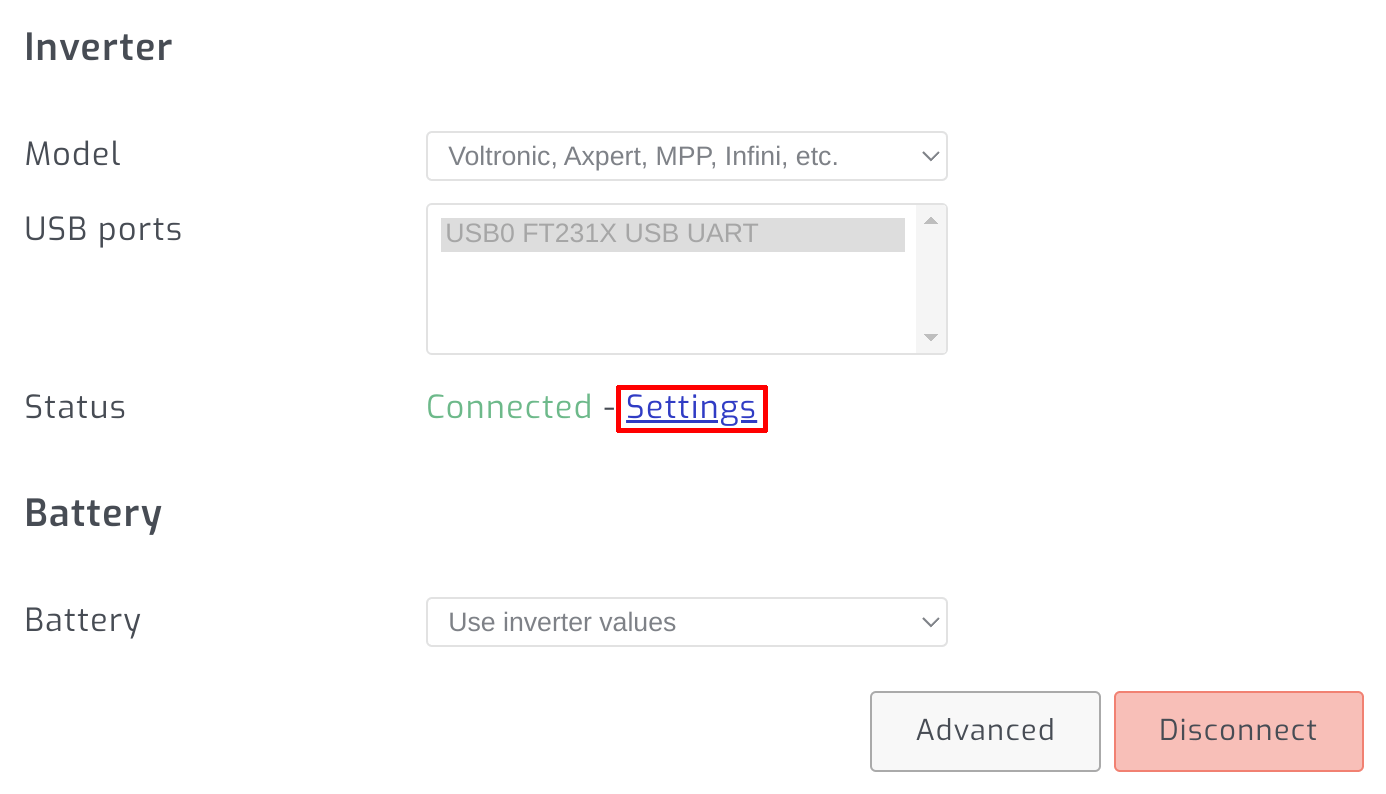
Step 2 - Enter edit mode
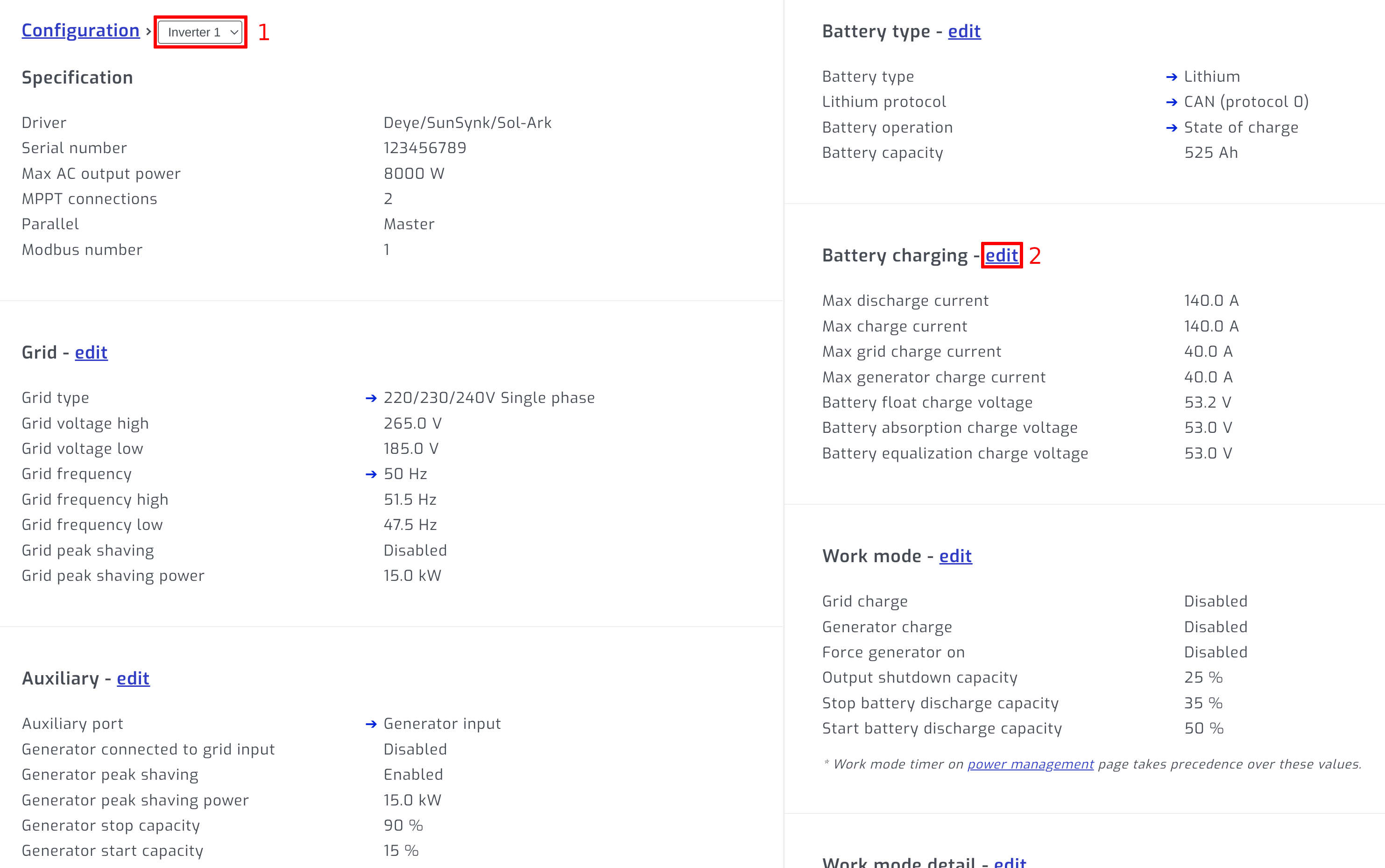
If you have parallel inverters, select the inverter. Select edit on section you would like to edit.
Step 3 - Change setting and save
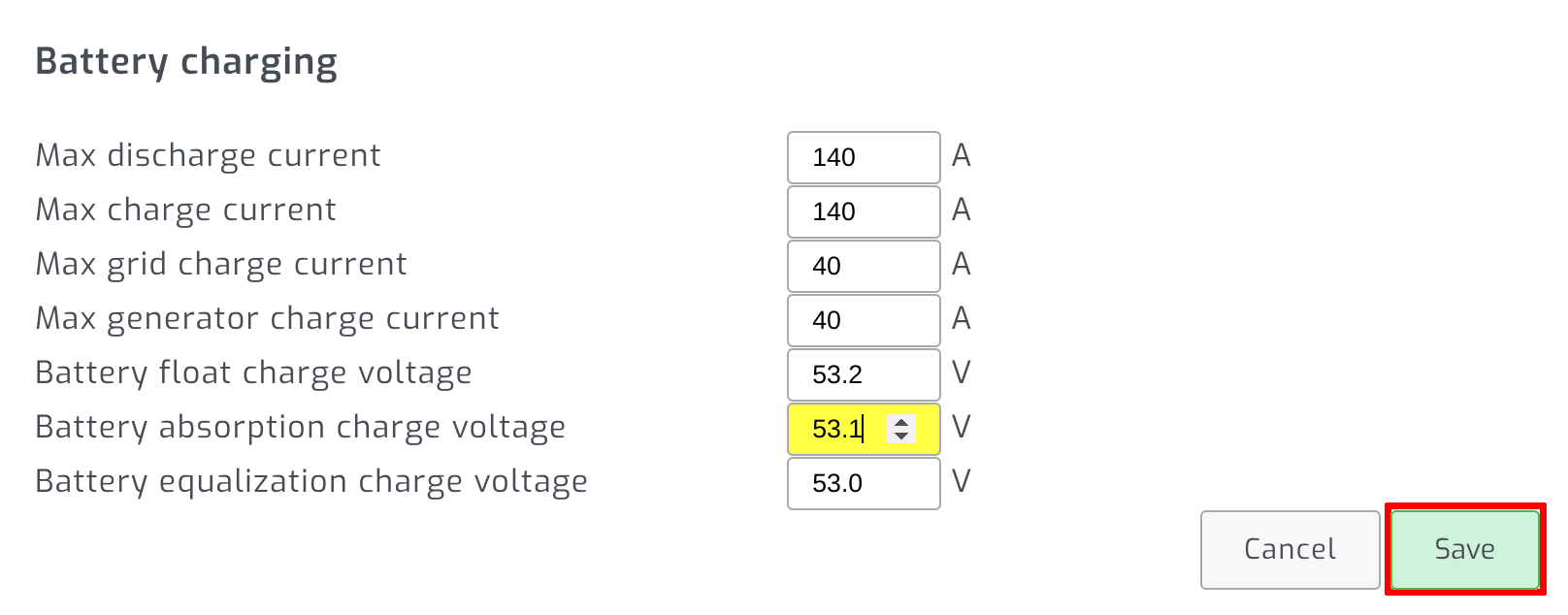
Change the setting you would like to adjust and press save.
Troubleshooting
If any setting change is not working as expected, please try adjusting it with the official WatchPower or SolarPower app from a laptop. If it works correctly from the official app but not from SolarAssistant, please contact us so that we can correct the problem in SolarAssistant.